
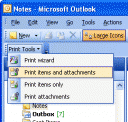
 Sometimes, you just need a hardcopy version of an email for quick reference, right?
But do you feel guilty when you print out the entire email conversation (10 or 20 pages sometimes) when all you needed was the last one or two emails?
With Gmail, it’s easy. You can choose exactly which emails in the conversation to print.
With Outlook it can’t be done. You’ll end up with the whole conversation. A waste of paper!
Well here’s how you can print just the emails you want, out of a long email conversation with Microsoft Outlook:
- Click on the “forward” button
- Delete the older parts of the email conversation
Easy!
Thanks for the tip. I used it temprorarily but was just curious if you had a way to print out one of the message just from the original e-mail because they do provide “previous” and “next” buttons as if the messages are treated independently in Outlook.
Thanks!